1
How to use our extension
Vertical Tabs
Sponsored Link:
Welcome to Vertical Tabs
Thank you for installing and using our extension
Features:
Install and open.
- After installing the extension. You click on the icon and can show your tabs in a vertical format.
The most common way to display tabs is horizontally, but there are other options.
Benefits of showing tabs vertically:
Visually separates groups of items on the page (e.g., "Products" vs "Support")
Makes it easier for users to scan through sections or lists when there are a lot of items
It's easier for users to focus on one section at a time
Disadvantages of showing tabs vertically:
Takes up more vertical space than horizontal tabs
Tutorial:
- Install the Extension
-
After installing the extension, click on the icon
 on the toolbar.
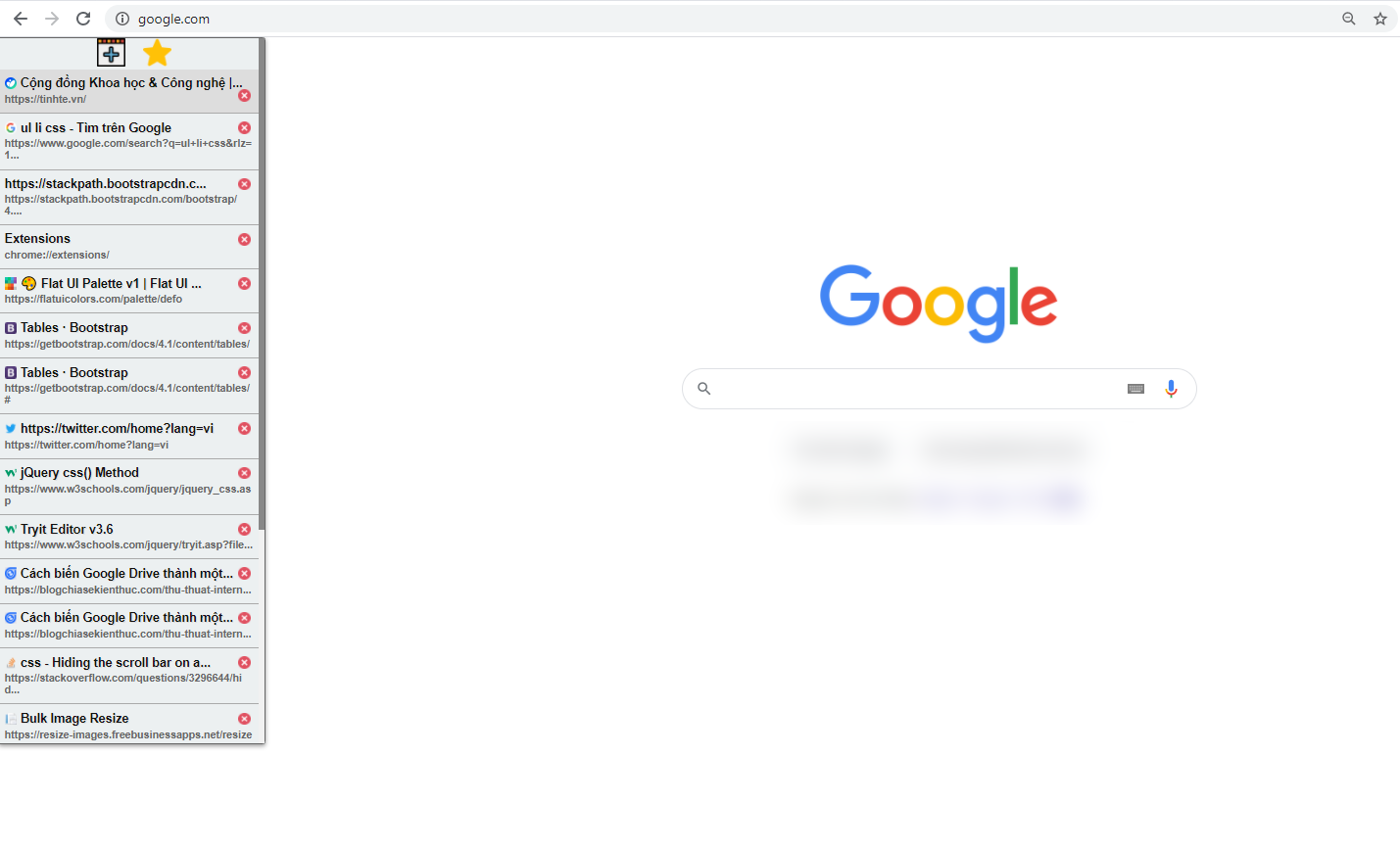
Free! Easily manage and present your tabs vertically.
Sponsored Link: