Split PDF Files
Sponsored Link:
Welcome to Split PDF Files
Thank you for installing and using our extension
Features:
Install and open.
- After installing the extension. You click on the icon and can begin to split your PDF files.
A PDF file is a digital document that can be read by both people and computers. It's an electronic version of a printed document.
A PDF file uses Adobe's Portable Document Format (PDF) to store text, images, and forms in a single document. PDF files are often used for documents that require a high degree of accuracy in their reproduction, such as bank statements or legal documents.
Adobe Reader is a free program you can use to view and print PDF files. When you open a PDF file in Adobe Reader, you can search for words or phrases, add annotations to the document (such as sticky notes), and fill out forms contained within the document.
Split PDF files is a straightforward desktop application that allows you to split your PDFs into multiple files. The program is simple and easy to use. You can select individual pages or an entire PDF file and then click the Split button.
To split a PDF, open the program and drag-and-drop a single or multiple files onto the main window. Alternatively, use the File > Open menu option to load them into the program directly. You can also add new files by clicking Add Files in the upper left corner of the main window.
Once you've selected all of your documents, click Split on the toolbar. This will create multiple files based on page number or size (in MB) depending on your preference.
The program also features options for customizing output settings such as page size, orientation and resolution; however, these settings may not work correctly with all documents due to differences between different versions of Adobe Acrobat Reader software used by most people today.
Tutorial:
- Install the Extension
- After installing the extension, click on the icon on the toolbar.
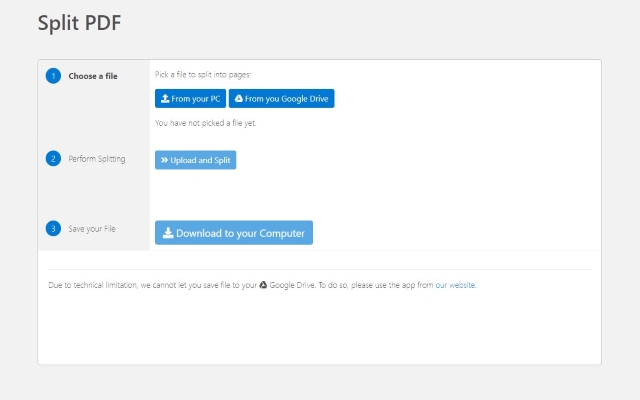
Split PDF Files now within Minutes! Fast and Easy Method to Split PDF files. Once you choose the PDF files you want to split, simply choose whether to save your split PDF file to your computer/Google Drive. It takes a minute to split your PDF files and the split PDF file is deleted from our servers within one hour.
Sponsored Link: