Photo Collage Maker
Sponsored Link:
Welcome to Photo Collage Maker
Thank you for installing and using our extension
Features:
Install and open.
- After installing the extension. You click on the icon and start to make your photo collage.
A photo collage is a collection of photos that are arranged in a specific way. The process of creating a photo collage is known as "collaging."
A photo collage can be simple, such as placing one or two images on a page, or complex, with dozens or hundreds of images. Some people create an entire storyboard for their collage, while others simply arrange photos on the page according to color or theme.
A photo collage can be used for many purposes:
To illustrate an idea or concept
To tell a story
To represent a theme or mood
To create art
Creating a photo collage is a great way to showcase your best photos in one place. It's a great way to share your memories with friends and family and make them feel like they were there to experience the moment with you.
Here are some of the benefits of creating a photo collage:
Sharing Your Memories
The main reason people create photo collages is to share their memories with others. With so many social media platforms available, there's no shortage of ways to share photos online. But sometimes it's nice to have all your best shots in one place, where people can easily browse through them without having to scroll through hundreds or thousands of photos on Facebook or Instagram.
Creating a Photo Collage Is Easy!
Creating an online photo collage doesn't require any special skills or software. The easiest way is with Pixlr Editor — just drag and drop your photos from your computer or mobile device onto the canvas and Pixlr Editor will automatically arrange them into an eye-catching collage!
Tutorial:
- Install the Extension
- After installing the extension, click on the icon on the toolbar.
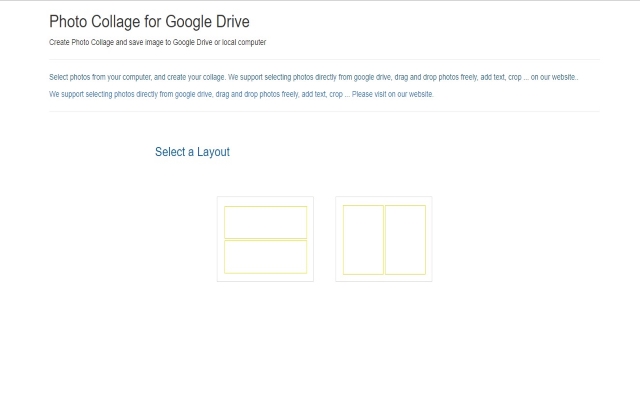
Put your photos the way you want in seconds Our software takes hundreds of your photos and in seconds, automatically creates beautiful photo collages in any shape that you want. Features: Upload photos or get photos from your computer/Google Drive Create collages in the shape of a rectangle, Move the photos around manually to make it perfect
Sponsored Link: