Reminders for Jitsi Meeting
Sponsored Link:
Welcome to Reminders for Jitsi Meeting
Thank you for installing and using our extension
Features:
Get reminded before your Jitsi meetings.
Jitsi is a free and open source multiplatform voice (VoIP), videoconferencing and instant messaging application for Windows, Linux, OS X, Android, iOS and BlackBerry OS.
Jitsi has been created on the basis of SIP (Session Initiation Protocol) technology allowing users to communicate via VoIP or IM. It supports several protocols like SIP, XMPP/Jabber, AIM/ICQ, Google Talk and MSN Messenger.
Video conferencing software is not new, but it’s becoming more popular and more affordable. In this article, we’ll talk about the benefits of video conferencing, and why you should consider using it in your business.
Video Conferencing Software Benefits
There are many benefits to using video conferencing software in your business. Here are a few of them:
• Video calls allow you to connect with clients and colleagues without traveling, saving time and money on flights, car rentals, hotel stays, etc.
• The quality of the call is higher than voice only calls because you can see each other’s facial expressions and body language. This can make conversations much more productive because it helps you better understand what the other person is saying and how they are saying it.
• You can share computer screens with someone else during a call if this is necessary for whatever reason (examples: showing how to do something on the computer or sharing files).
Tutorial:
- Install the Extension
- After installing the extension, click on the icon on the toolbar.
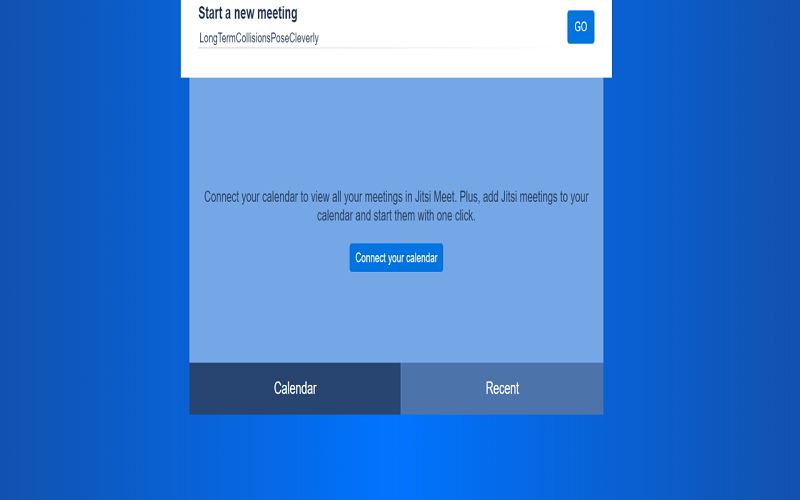
- Click to open meeting room for Jisti
- Setup the meeting calendar using google calendar and have notifications 30 minutes before a conference call is about to take place:
Sponsored Link: