Cloud Print
Sponsored Link:
Welcome to Cloud Print
Thank you for installing and using our extension
Features:
Modify browsing page with controls on left sidebar and click "Print" button or save it as pdf or html.
What is cloud print?
Cloud-Printing is the ability to print files from your computer, tablet or smartphone directly to your printer. Cloud-Printing is supported by many applications including:
Microsoft Office 365
Google Docs
Dropbox
Box.com
Evernote
Cloud printing is the process of printing documents and images to a networked printer using a personal computer, tablet or other device. Cloud printing is different from traditional printing because it involves sending your print job over the Internet instead of directly to a printer.
Cloud printing has many benefits. It allows users to share their printers with other users anywhere in the world, access their documents from anywhere and print them from any location. It also helps reduce paper waste by eliminating the need for physical copies of documents like letters, bills and invoices.
Cloud-based services can be accessed remotely with mobile devices and web browsers, allowing users to print from almost anywhere at any time.
Cloud print is a free service from Google that allows you to print documents, photos, and other files from your computer or mobile device to a printer that's connected to the Internet.
Cloud print works with Windows and Mac computers, Android devices, and Chromebooks.
Tutorial:
- Install the Extension
-
After installing the extension, click on the icon
 on the toolbar.
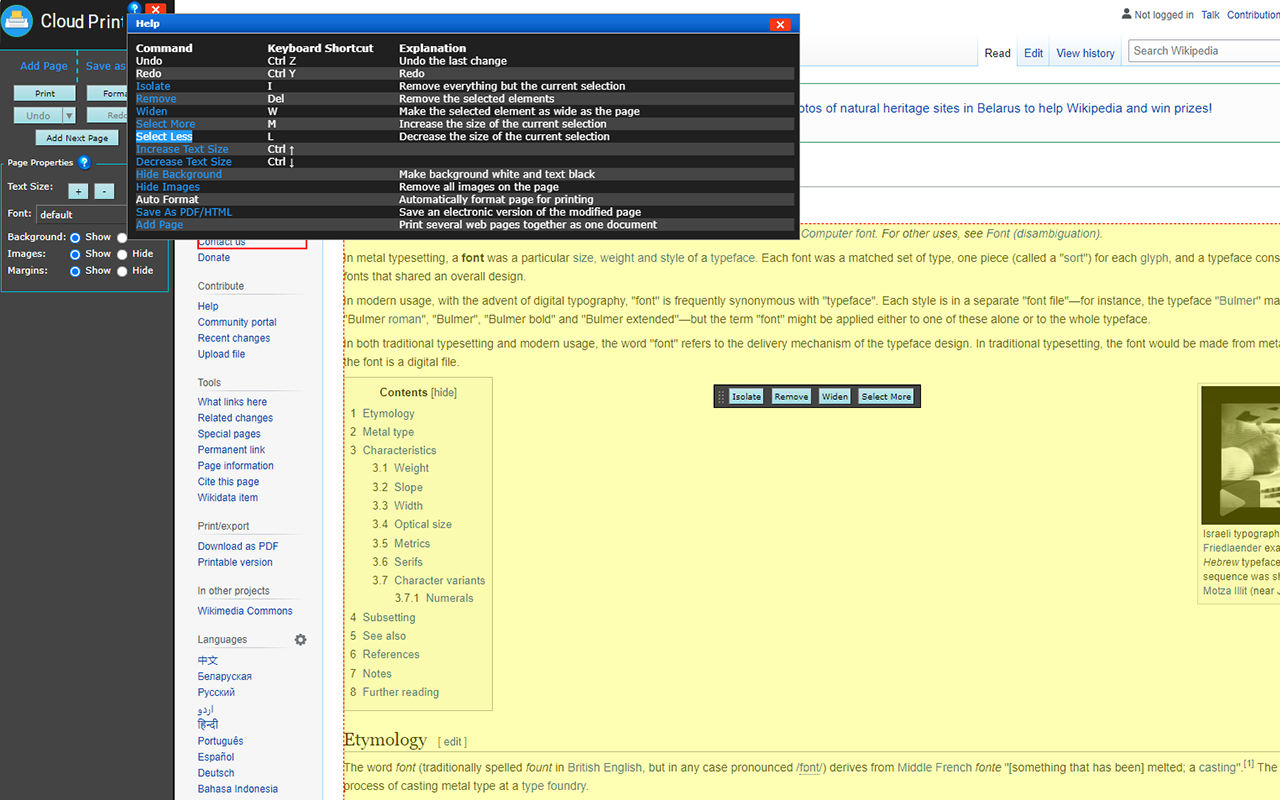
Our FREE Cloud Print will enable you to modify any webpage to make it print exactly how you want.
Modify Before Printing
Click-to-delete any content before printing. Remove all images or individual images. Change the text size from larger to smaller.
Print or Save as PDF or HTML
Generate PDFs or HTMLs for archiving, sharing, or saving. PDFs and HTMLs include clickable links, and source URL so you can continue to interact.
Sponsored Link: