1 Click to Google Apps
Sponsored Link:
Welcome to 1 Click to Google Apps
Thank you for installing and using our extension
Features:
Install and open.
- After installing the extension. You click on the icon and can get brought to the Chrome Apps page instantly.
What is Chrome Apps
Chrome Apps are web applications that run on the web. They are written using standard web technologies like HTML, JavaScript and CSS. The difference between traditional web apps and Chrome Apps is that Chrome Apps can be installed on your computer and keep you up-to-date with automatic updates.
Chrome Apps work offline and when online they can talk to your other devices such as your phone. For example, you can create a shopping list in the Google Keep Chrome App, go offline and add items to your list on your phone while you’re out shopping. When you come back online, any changes will be synced back to Google Keep so you’ll always have an up-to-date list of items to buy.
Chrome Apps have been depreciated by Google and their successor is the Google PWA.
What is Chrome PWA?
Google has a lot of web apps that it wants to be more than just a website. It wants to be something that you don't even think about, just like Google Search, YouTube, and Gmail. For example, Drive can be opened in your browser and work just like an application.
The Chrome team is working on making Progressive Web Apps (PWAs) available as part of the browser. You will be able to launch them from your home screen much like native apps — without having to install anything extra.
The main goal here is to make sure that everyone has access to these tools regardless of what device they're using or where they are in the world. PWAs are supposed to be accessible regardless of network connection or location.
Tutorial:
- Install the Extension
-
After installing the extension, click on the icon
 on the toolbar.
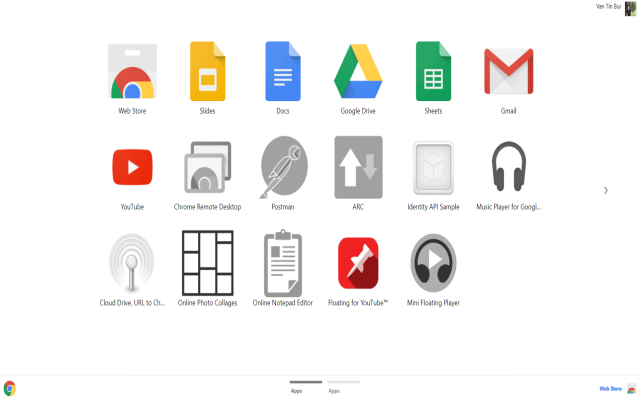
1 Click and you can go to Chrome Apps
Sponsored Link: